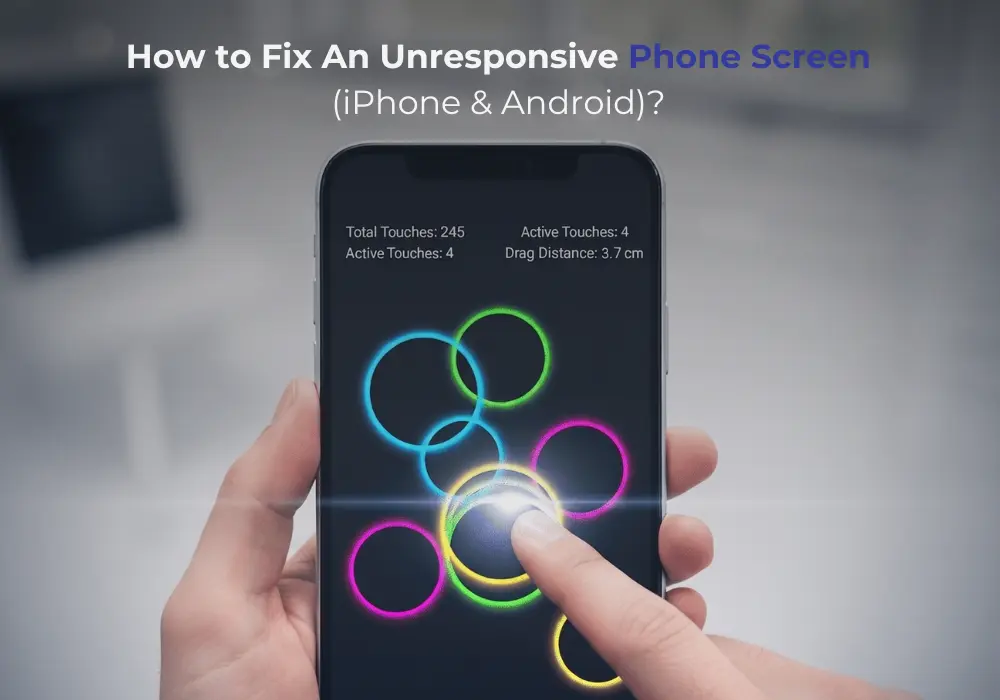
There’s a very specific kind of frustration that comes with a touch phone screen that suddenly stops responding. You pick up your phone like normal, tap to unlock it, maybe try to open a message or an app, and nothing happens. You tap again. Still nothing. You swipe. Still frozen. At that moment, it feels like your whole connection to your daily routine has just stopped working.
If you’re dealing with a phone screen unresponsive issue right now, don’t worry too much. This is one of the most common smartphone screen problems, and in many cases, it’s not permanent at all. Most of the time, the reason is simple, something you can really fix at home without any technical background.
Let’s move through it gradually and clearly, like we’re just sorting it out together.
First, why does a touch phone screen stop working?
When a touch screen stops responding, it doesn’t directly mean your phone is broken. Actually, it’s commonly reasoned that little errors build up over time.
Here are the most ordinary causes:
- A temporary software bug
- The phone is working on many things at the same time
- Dirt, grease, or a damp screen
- An old system that requires updates
- Overheating from extra use
- Damage from a smash or compression
Sometimes you may also notice screen flickering at the same time. That can feel worrying, but it often points toward software issues or display stress rather than total failure.
Start With The Simplest Fixes First
When your phone stops responding, it’s tempting to assume the worst. But honestly, the best place to start is always the simplest steps.
Restart your phone
This is the “reset button” for most small problems.
- Press and hold the power button
- Restart your device
- If frozen, use force restart
A restart clears temporary bugs and refreshes everything. It sounds basic, but it fixes a surprising number of cases of a phone screen unresponsive situation.
Clean your screen properly
It might not feel like a big deal, but your screen collects more than you think: oil from fingers, dust, tiny moisture marks.
- Use a soft microfiber cloth
- Wipe gently, no pressure
- Make sure your hands are dry
Even a thin layer of oil can interfere with touch sensitivity and create smartphone screen problems that feel like hardware issues.
Remove the screen protector and case
Sometimes the issue isn’t the phone itself.
- Take off the screen protector
- Remove the case
- Test the screen again
A cracked protector or a tight case can block touch signals or press against the edges of the display.
Check what’s going on inside the phone
If the basic steps don’t help, it’s time to look at software behavior.
Close background apps
Too many apps running at once can slow everything down.
- Close all apps
- Restart the phone
- Avoid multitasking for a moment
When the system is overloaded, the touch response can lag or stop working properly.
Checking for updates
This is one of the most ignored but important steps.
- Go to settings
- Open software update
- Install available updates
Updates often fix bugs that cause touch issues or screen flickering. Running an outdated system can easily lead to performance problems.
Free up storage space
When storage is almost full, your phone struggles to function smoothly.
- Delete unused apps
- Remove old videos and photos
- Clear cached data
A lighter phone usually means smoother touch response.
If the screen responds incorrectly
Sometimes the screen still works, but not the way it should. You tap one place, and something else opens. That’s when calibration can help.
Calibrate the Android screen
If you’re on Android, you can try:
- Installing a trusted calibration tool
- Following the on-screen steps
- Restarting afterward
This helps fix alignment issues and improves touch accuracy when the screen feels “off.”
What about screen flickering?
Seeing the screen flickering along with touch problems can feel scary. It looks like the phone is failing.
Before supposing that, try this:
- Subdued
- Auto-brightness should be off
- Restart the phone
- Recent apps should be uninstalled
If fluttering and unsteadiness go away, it is probably software-related. If it stays, then the display needs care.
Try deeper fixes if nothing works
If your phone screen unresponsive error is still in the same area, you can further try more progressive measures.
Reset all settings
This does not delete your data.
- Go to settings
- Find reset options
- Tap “reset all settings.”
It removes system conflicts that may be affecting touch performance.
Factory reset (last option)
This is only if nothing else works.
Before doing it:
- Back up your data
- Make sure the battery is charged
A factory reset wipes everything and brings your phone back to its original state. It often clears deep software problems causing smartphone screen problems.
When it’s probably a hardware issue
If nothing has worked so far, the issue may not be software anymore.
Signs include:
- Screen cracked or visibly damaged
- Touch works only in some areas
- The phone was dropped recently
- Water exposure
- Constant screen flickering
At this point, the display or internal connection may be damaged.
When you should get help
It’s okay to stop trying fixes at home if things don’t improve.
You should move for a technician if:
- The screen stays completely non-functional
- The error keeps repeating
- There’s disfigured or superficial damage
- The phone seldom overheated
A proper diagnosis can save time and prevent further damage.
Simple habits to avoid this again
Once your phone is again functional, a few little habits can assist a lot.
- Use a valid screen protector
- The screen should be clean
- Avoid dropping or pressing the phone
- Updates regularly your phone
- Don’t fully load storage
- Avoid using the phone while charging for a long time
These tiny things lower the chances of facing the same issue again.
Final thoughts
A touch phone screen that unexpectedly stops working can sound like a great problem in the moment, but most of the time, it’s not serious. It’s normally a small software fault, a little bit of dust, or a temporary software issue that just requires an accurate fix.
The important thing is not to rush or panic. Start simple, go step by step, and give your phone a chance to respond after each fix. In many cases, it comes back to normal before you even reach the advanced steps.
And if it turns out to be hardware-related, that’s okay too. It just means it needs professional attention, not guesswork.
With a little patience, most smartphone screen problems can be handled without stress, and your phone can be back in your hands, working as it should.